
If you applied for the Asaan Karobar Finance Scheme 2025–2026, you must be curious to know the application status. This scheme is designed to help Pakistani youth and small business owners get easy loans for starting or expanding their business. Checking your application status is simple, fast, and fully online. In this guide, we will explain step by step how you can check your status without any confusion.
Read More: Mera Ghar Mera Ashiana Housing Scheme
What Is CM Punjab Asaan Karobar Card Scheme?
The Asaan Karobar Card Scheme is a government-backed finance program for young entrepreneurs. It provides interest-free business loans through a digital SME card. Even people with no strong bank history can apply. The main goal is to reduce unemployment and support self-employment across Punjab.
At the moment, new registrations are paused, but applicants who already applied can still log in and check their application status online.

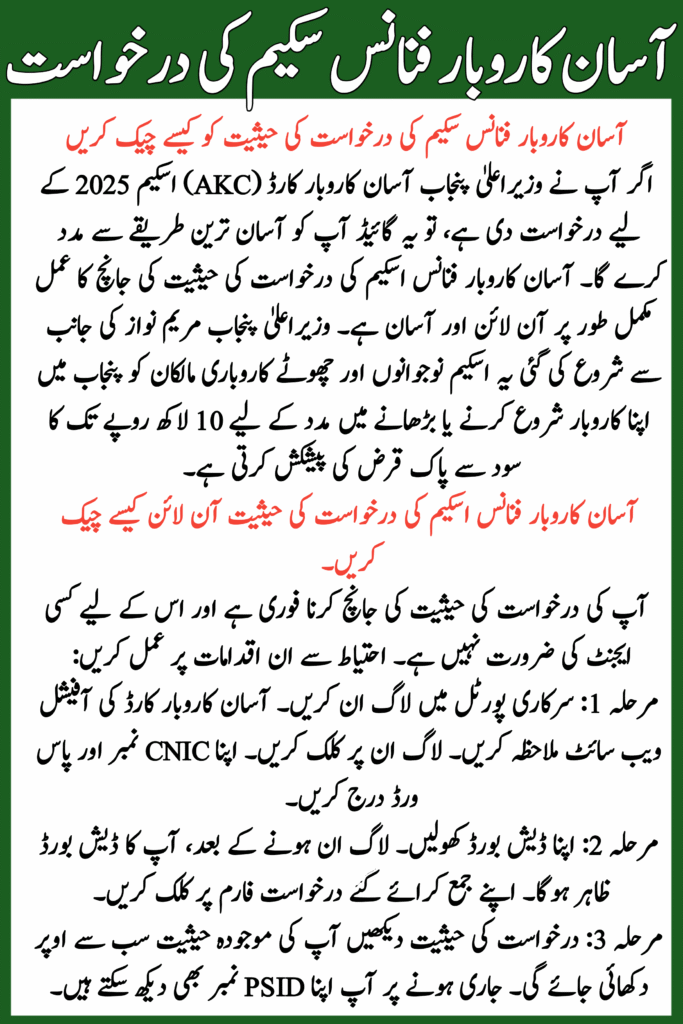
How to Check Asaan Karobar Finance Scheme Application Status Online
Checking your application status is quick and does not require any agent. Follow these steps carefully:
Step 1: Login to Official Portal
- Visit the official Asaan Karobar Card website
- Click on Login
- Enter your CNIC number and password
Step 2: Open Your Dashboard
- After login, your dashboard will appear
- Click on your submitted application form
Step 3: View Application Status
- Your current status will be shown on top
- You can also see your PSID number if issued.
Read More: New Passport Design
Application Status Explained
| Application Status | Meaning |
| Under Process | Your application is being reviewed |
| Verified | Approved and moving to next stage |
| Rejected | Application did not meet criteria |
| Verification Error | Issue found in documents |
| PSID Null / Status Null | Application rejected |
If your status is Verified, you are on the right track. If not, don’t panic—most issues can be fixed.

Tips for a Smooth Check
- Make sure you use the official website only. Avoid fake portals.
- Keep your CNIC and application number ready.
- Refresh the page if it takes too long to load.
- Contact the helpline if your status shows an error.
Common Errors and How to Fix Them
| Error Type | Reason | Simple Solution |
| CNIC Error | NADRA record mismatch | Recheck CNIC details or call helpline |
| SIM Error | SIM not registered on CNIC | Use your own registered number |
| Vehicle Token Error | Excise dues pending | Clear dues from Excise office |
| Credit Check Issue | Loan history or delay | Wait or contact BOP |
Most errors update automatically once corrected.

How to Know If Application Is Accepted or Rejected
- Accepted: Status shows Verified or you receive SMS
- Rejected: Status shows PSID null or Status null
If rejected, you can call the helpline to understand the reason and prepare better for future applications.
Official Helpline Numbers for Help
- Asaan Karobar Card Helpline: 1786
- Bank of Punjab Helpline: 111-267-200
Always contact official numbers only. Never share your CNIC or password with anyone else.
Read More: Forgot Your PAVE Portal Password

Why Many Applicants Face Rejection
Most rejections happen due to:
- Wrong CNIC or expired CNIC
- Using someone else’s SIM
- Incomplete or incorrect information
- Existing loan default
Small care during application can save months of delay.
Final Words
The Asaan Karobar Finance Scheme is a great step by the Punjab government to support small businesses. Checking your application status is easy if you follow the right steps. Even if you face rejection or errors, most issues are solvable. Stay patient, use official channels, and don’t lose hope. Your business dream is still possible.
FAQs
Q: Can I check status without login?
No, you must log in using CNIC and password.
Q: What does PSID null mean?
It usually means your application is rejected.
Q: Is the loan really interest-free?
Yes, the loan is 100% interest-free.
Q: Can I reapply if rejected?
Currently, re-applications are not open. Wait for official updates.
Q: How long does verification take?
Usually 2–7 working days, depending on case.
Related Posts