How to Check if Phone Is PTA Approved or Not
Buying or using a smartphone in Pakistan requires one important check: whether the phone is PTA approved or not. Many users face network blockage because their device is not registered with PTA. This guide explains simple and official ways to verify your phone status, using information from the PTA website and top Google sources, in easy English.
Also Read ; Eligibility Criteria for Punjab Green E-Taxi Scheme
| Topic | Details |
|---|---|
| Authority | Pakistan Telecommunication Authority (PTA) |
| Purpose | Check mobile legal status |
| Main Check Tool | IMEI number |
| Official System | DIRBS |
| USSD Method | *#06# |
| Online Method | PTA website |
| Risk of Non-PTA Phone | Network blocked |
| Suitable For | Android & iPhone |
What Does PTA Approved Phone Mean?
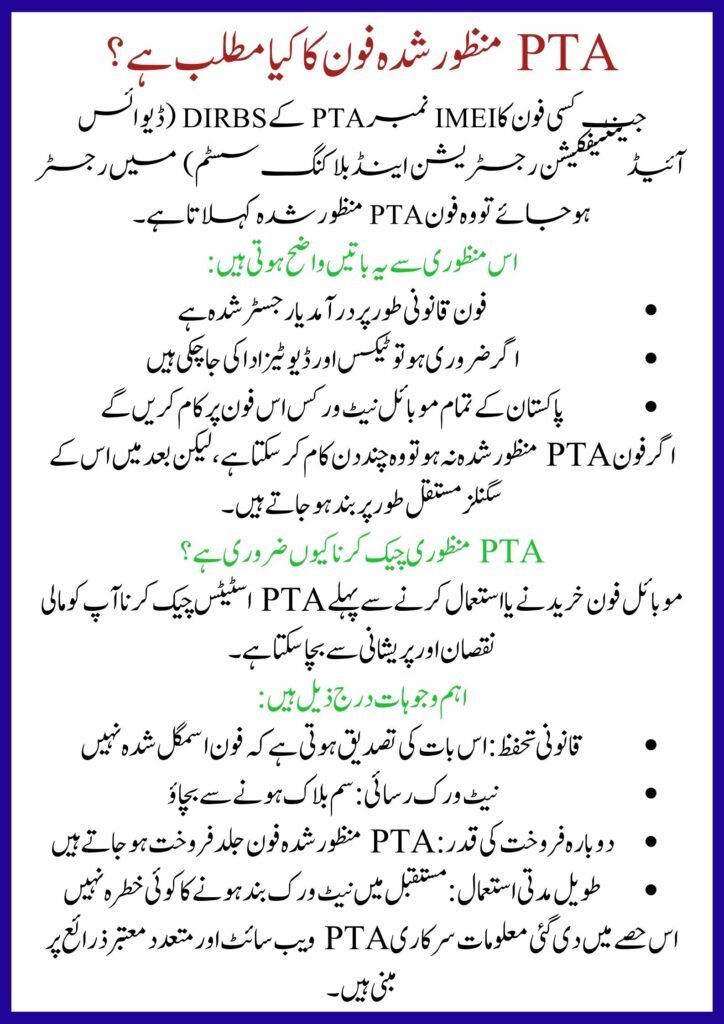
A phone is PTA approved when its IMEI number is registered in PTA’s DIRBS (Device Identification Registration and Blocking System).
This approval confirms that:
- The phone is legally imported or registered
- Taxes and duties are cleared (if required)
- All mobile networks in Pakistan will work
If a phone is not approved, it may work for a few days but will later lose signals permanently.
Why It Is Important to Check PTA Approval
Checking PTA status before buying or using a mobile phone can save money and stress.
Main reasons include:
- Legal safety: Ensures your phone is not smuggled
- Network access: Avoids SIM blockage
- Resale value: PTA-approved phones sell faster
- Long-term use: No risk of future disconnection
Information in this section is based on the official PTA website and multiple trusted Google sources.
How to Find Your Phone IMEI Number How to Check if Phone Is PTA Approved or Not
Before checking approval, you must get your IMEI number.
Use any of these methods:
- Dial *#06# on your phone
- Check phone box sticker
- Look in Settings → About Phone
- For dual SIM phones, note both IMEI numbers
The IMEI is a 15-digit unique code required for all PTA checks.
Step-by-Step Process to Check PTA Approval Online
Follow this simple step-by-step process using the official system:
- Open the PTA DIRBS website
- Find the “Check Device” option
- Enter your 15-digit IMEI number
- Click submit or check status
- Wait for system verification
- View approval or blocked message
This method works for all mobile brands and is recommended by PTA.
Ways to Check If Phone Is PTA Approved
You can verify approval using different official options.
- Online check: Use PTA DIRBS portal
- SMS method: Send IMEI to 8484
- Website login: For detailed tax record
- Retail verification: Before buying used phones
These methods are confirmed by the official website and reviewed through informational
Common PTA Status Messages Explained
When you check IMEI, you may see different results.
- Approved: Phone is fully registered
- Non-compliant: Tax not paid
- Blocked: Illegal or duplicate IMEI
- Pending: Temporary registration active
If your phone shows “non-compliant,” it means taxes must be paid to make it PTA approved.
Helpline & Contact Information How to Check if Phone Is PTA Approved or Not
If you face confusion or errors, PTA provides support channels.
- PTA Helpline: Available on official PTA website
- SMS Support: 8484 (IMEI verification)
- Online Complaint Portal: PTA CMS system
- Email Support: Listed on PTA contact page
These contact details are published on the official PTA website and verified through sources.
What to Do If Phone Is Not PTA Approved
If your device is not approved, you still have options.
- Pay PTA tax through DIRBS
- Register passport-based temporary approval
- Avoid using patch or cloned phones
- Buy PTA-approved device next time
Registering officially is the safest and legal solution.
Conclusion
Checking whether a phone is PTA approved is extremely important in Pakistan. A simple IMEI check can protect you from network blockage, financial loss, and future issues. Always verify PTA status before purchasing a new or used mobile phone. Information shared in this guide comes from the official PTA website and trusted Google sources to ensure accuracy and reliability.
FAQs
How can I check if my phone is PTA approved for free?
You can dial *#06# to get IMEI and send it to 8484 or check through the official PTA website.
How long does PTA approval last?
Once approved, it is permanent unless the IMEI is reported stolen or duplicated.
Can a non-PTA phone work in Pakistan?
It may work temporarily, but PTA will block network access after the allowed period.
Is PTA approval required for all phones?
Yes, all locally used mobile phones must be registered with PTA to work on Pakistani networks.
Related Posts